MiniMax H3 Online Studio

MiniMax H3 圖片編輯器

上傳照片,說明要改什麼、保留什麼。最多支援 16 張參考圖,編輯結果可下載爲 PNG 或 JPG。

編輯你的圖片

0/5000

明確要修改的內容,並列出需要保留的細節。

基礎 7 + 0 張參考圖 × 1 = 7 積分

你的作品

你的照片,按你的要求修改。

上傳參考圖片,描述修改。編輯結果和下載按鈕會顯示在這裏。

三步完成第一次 MiniMax H3 圖片編輯

01

上傳圖片編輯參考圖

選擇圖片編輯,拖入或選擇清晰原圖。只換背景或顏色時,先用一張參考圖;需要合成時再爲其他參考圖分配明確用途。請使用有權編輯的圖片。

02

編寫圖片編輯提示詞

直接寫出修改目標,再列出要保留的內容。商品圖可列出輪廓、材質、顏色、標誌、標籤和拍攝角度;人像可列出身份、表情、髮型和姿勢。快捷提示詞可以作爲起點。

03

設定圖片輸出、生成並下載

在設定中選擇比例、解像度及 PNG 或 JPG。登入並擁有足夠積分後即可編輯,提交前按鈕會顯示消耗。結果生成後覈對細節再下載,個人圖片歷史保留 30 天。

MiniMax H3 Image 真實生成結果

MiniMax H3 Image Edit:六組真實編輯效果對比

對比原始參考圖與通過 Kie 實際調用 MiniMax H3 Image 得到的結果。每組附上原樣提交的英文 prompt 和參數;參考圖為 AI 生成的原始素材。頁面展示圖經過等比例縮小和 WebP 壓縮,下方像素尺寸為原始生成文件的尺寸。

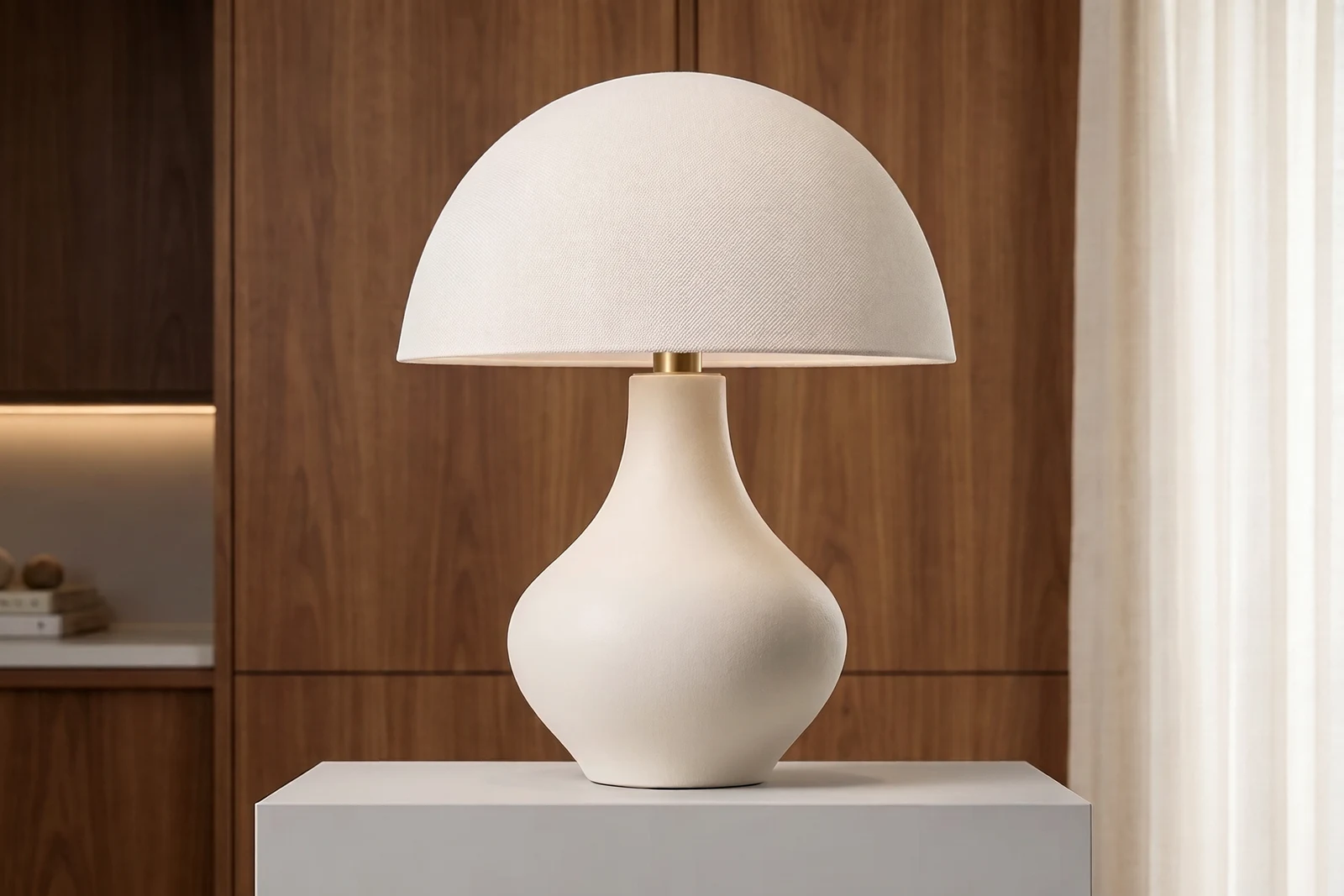
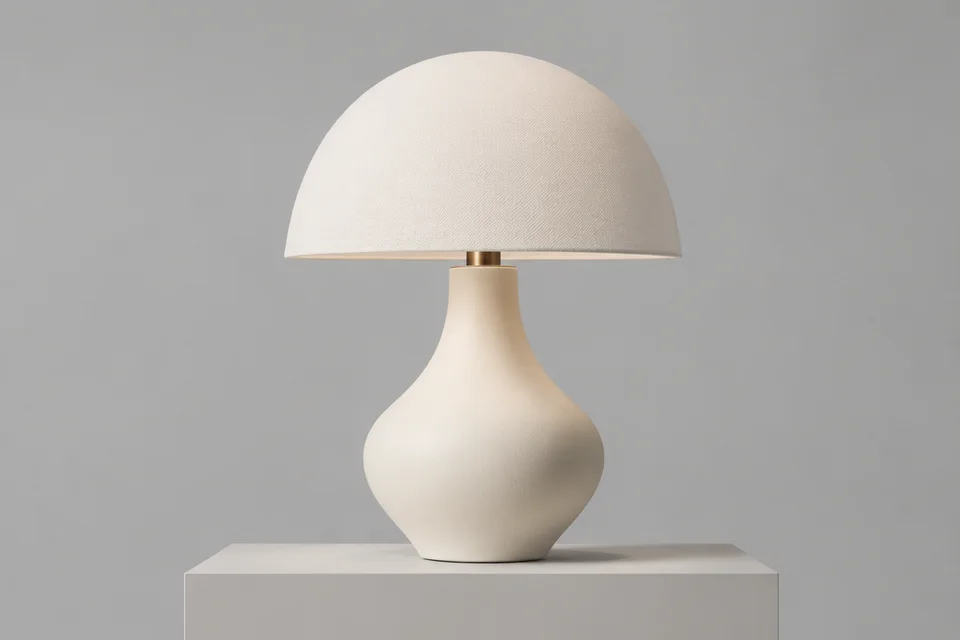
MiniMax H3 圖片編輯:陶瓷台燈背景替換為胡桃木牆面與紗簾室內場景。MiniMax H3 圖片編輯:灰色展示台上奶油色陶瓷台燈的原始參考圖。左右拖動,或使用鍵盤方向鍵查看兩張圖片。

替換產品照片背景

把台燈的灰色背景替換成胡桃木牆面與紗簾室內場景。對照燈罩、燈座、展示台和背景,查看本次實際編輯帶來的變化。

提交參數
2K · 3:2 · PNG
原始生成尺寸
2496 × 1664

提示詞

Edit <Picture 1>. Keep the exact same cream ceramic table lamp, its fabric shade, brass stem, pedestal, scale, position and camera angle. Replace only the plain gray background with a refined contemporary interior: warm walnut wall panels and sheer ivory curtains, softly out of focus. Match the lighting naturally to the lamp. Preserve the shape and texture of the product. Photorealistic product photography, no text or watermark.
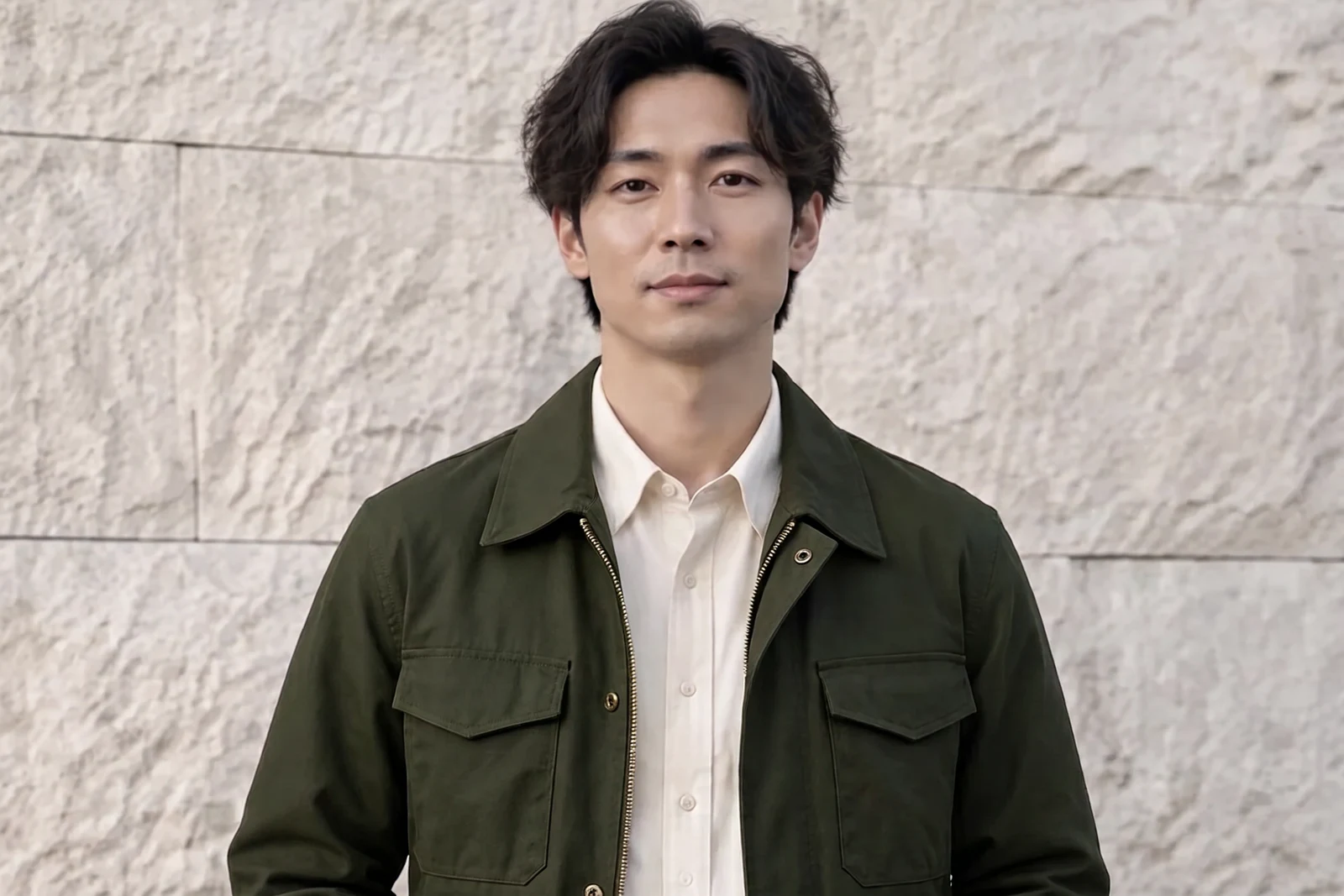
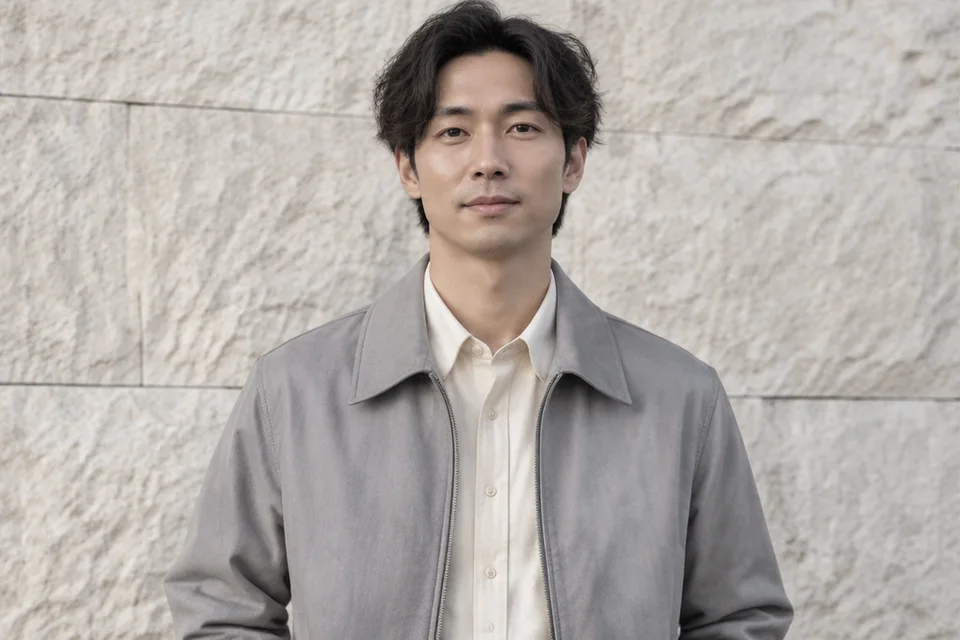
MiniMax H3 圖片編輯:肖像中的灰色外套替換為橄欖綠工裝夾克。MiniMax H3 圖片編輯:石牆前身穿灰色外套的男性原始肖像。左右拖動,或使用鍵盤方向鍵查看兩張圖片。

替換肖像中的服裝

把灰色外套換成橄欖綠工裝夾克,保留相近的人物面容、姿態及石牆背景。打開大圖可檢查衣領、口袋及布料褶皺。

提交參數
2K · 3:2 · PNG
原始生成尺寸
2496 × 1664

提示詞

Edit <Picture 1>. Replace only the gray jacket with a dark olive-green waxed cotton field jacket with a pointed collar, brass zipper and two chest flap pockets. Keep the same adult man, face, hair, expression, white shirt, pose, framing, stone wall and daylight. Preserve realistic fabric folds and skin texture. Do not add text, a logo or accessories.

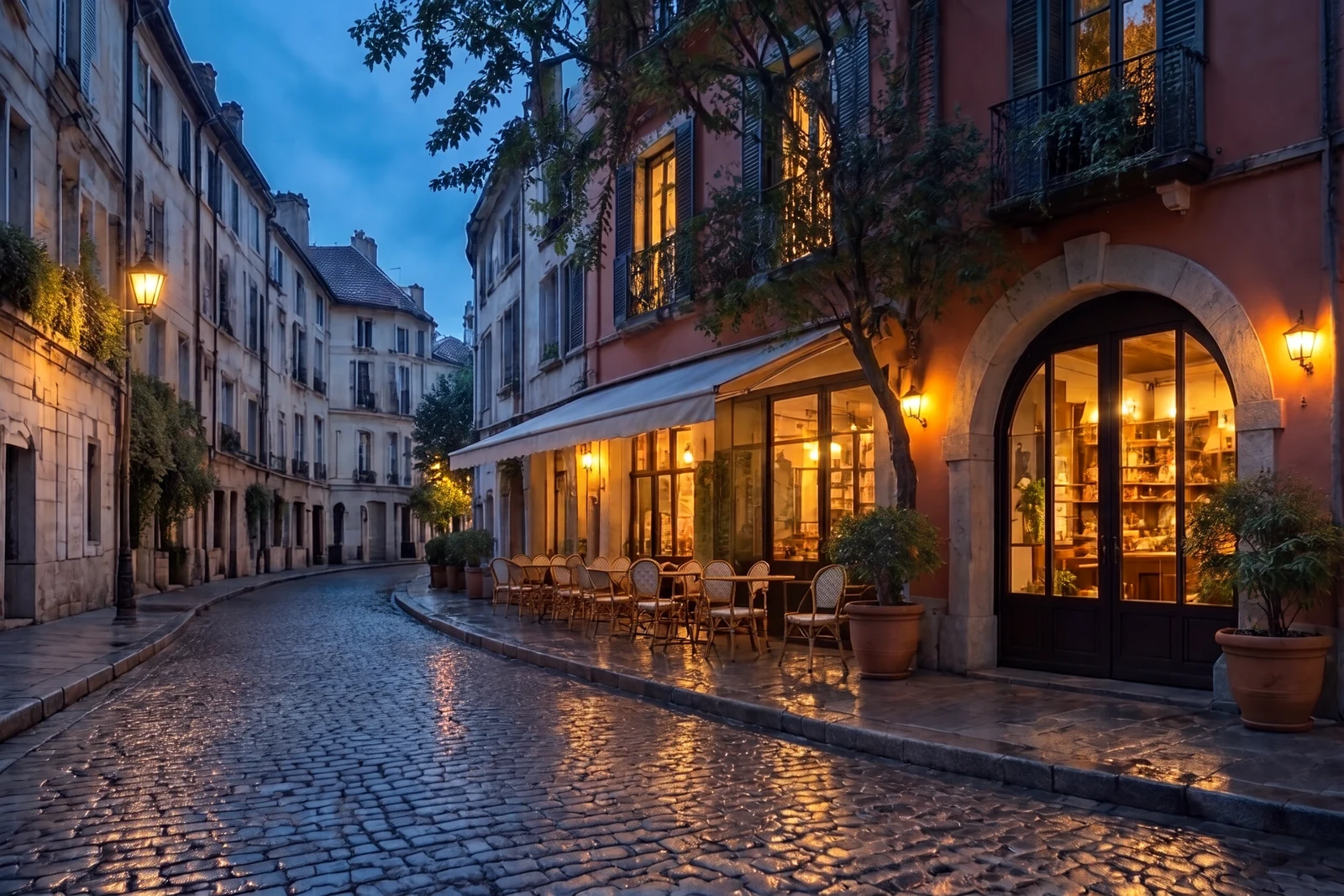
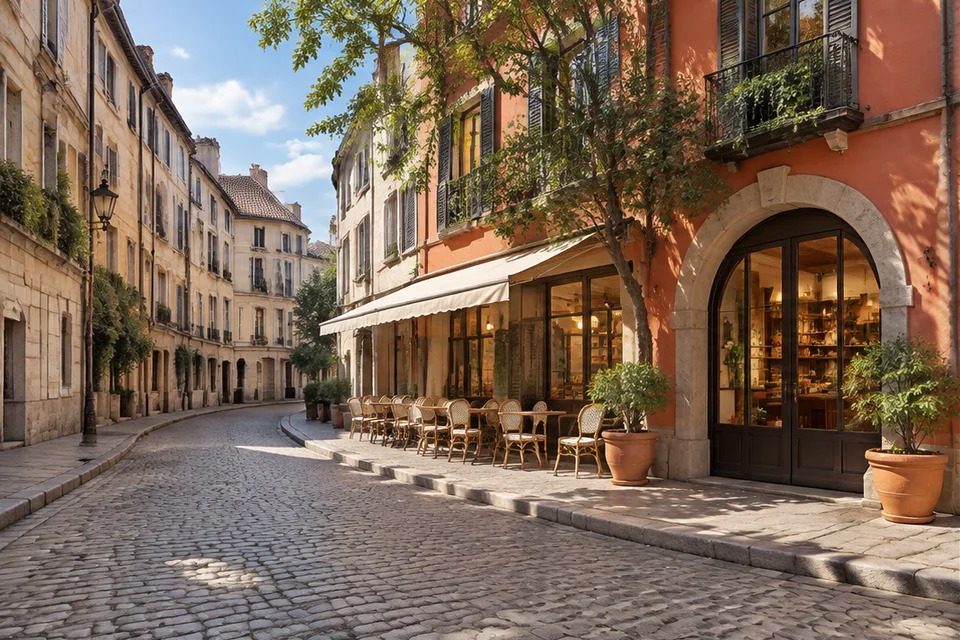
MiniMax H3 圖片編輯:白天咖啡館街景改為帶濕地倒影的雨後藍調傍晚。MiniMax H3 圖片編輯:晴天咖啡館街道的原始參考圖。左右拖動,或使用鍵盤方向鍵查看兩張圖片。

將白天街景改為雨後傍晚

咖啡館街道從晴天變成藍調傍晚,加入濕潤石板路和暖色櫥窗倒影。可通過建築與視角對照場景的一致性。

提交參數
2K · 3:2 · PNG
原始生成尺寸
2496 × 1664

提示詞

Edit <Picture 1>. Turn this daytime European cafe street into a rainy blue-hour evening photograph. Keep the same street layout, buildings, tree, awning, chairs, tables and camera viewpoint. Switch on warm amber cafe windows and wall lights. Make the cobblestones wet with believable reflections and subtle puddles. Use a dark blue evening sky and soft cinematic contrast. Do not add people or change the architecture.

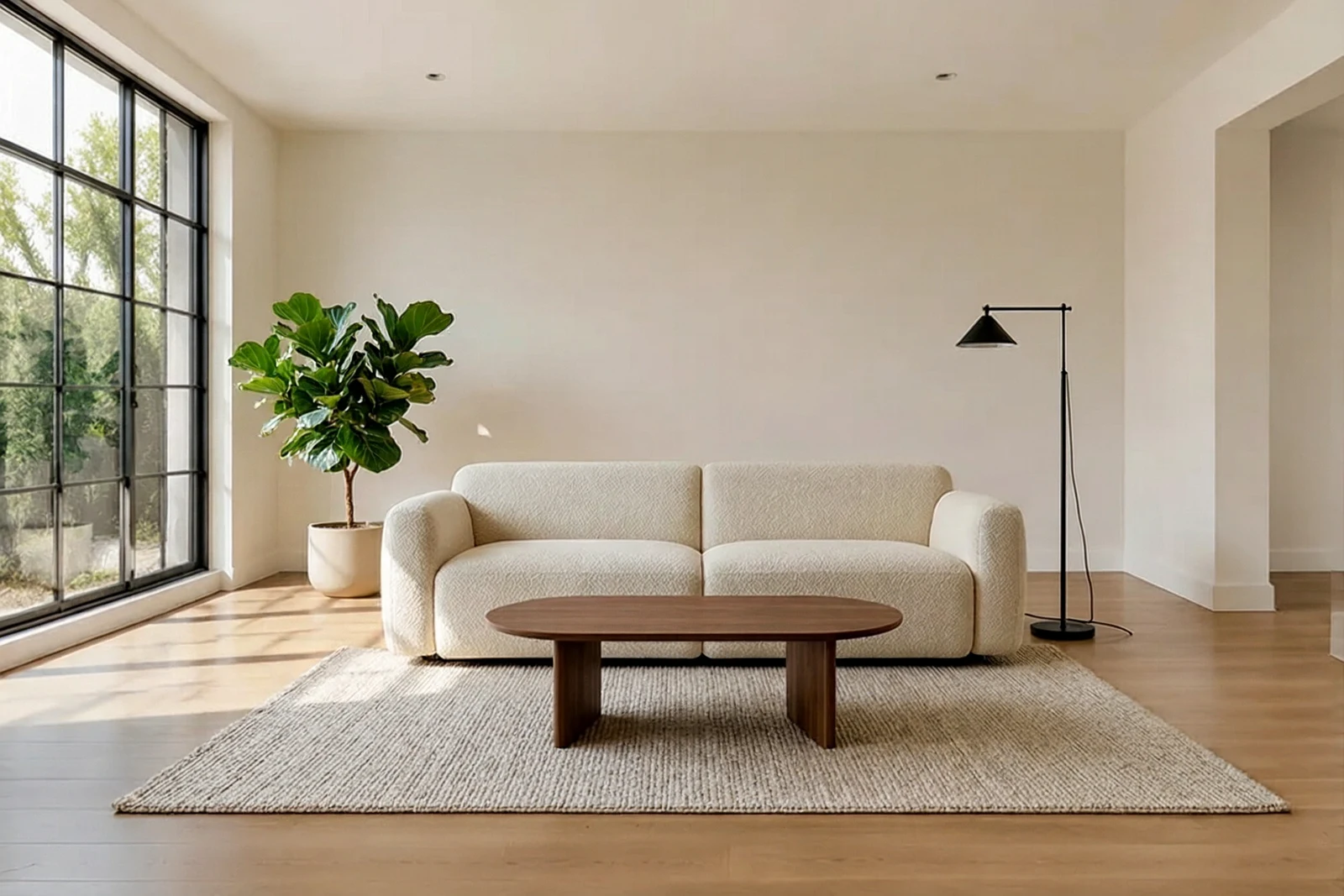
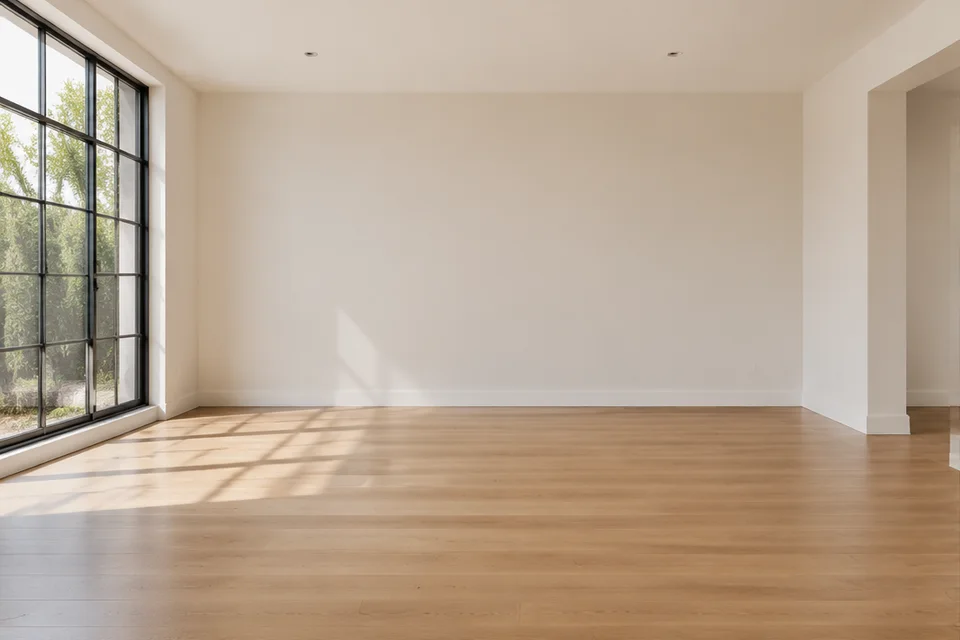
MiniMax H3 圖片編輯:空房間加入奶油色沙發、胡桃木茶几、地毯和綠植。MiniMax H3 圖片編輯:帶大窗戶和木地板的空房間原始參考圖。左右拖動,或使用鍵盤方向鍵查看兩張圖片。

為毛坯空間添加室內陳設

在空房間中加入沙發、地毯、茶几、落地燈和綠植。以窗框、地板及牆面開口為參照,比較編輯前後的空間佈局。

提交參數
2K · 3:2 · PNG
原始生成尺寸
2496 × 1664

提示詞

Edit <Picture 1>. Furnish this empty room as a warm Scandinavian living room. Add a cream boucle sofa centered against the back wall, a low oval walnut coffee table, a textured beige rug, a slender black floor lamp on the right, and one large leafy plant near the window. Keep the same architecture, window frames, wooden floor, sunlight direction, camera position and perspective. Realistic interior photography, no structural changes and no text.

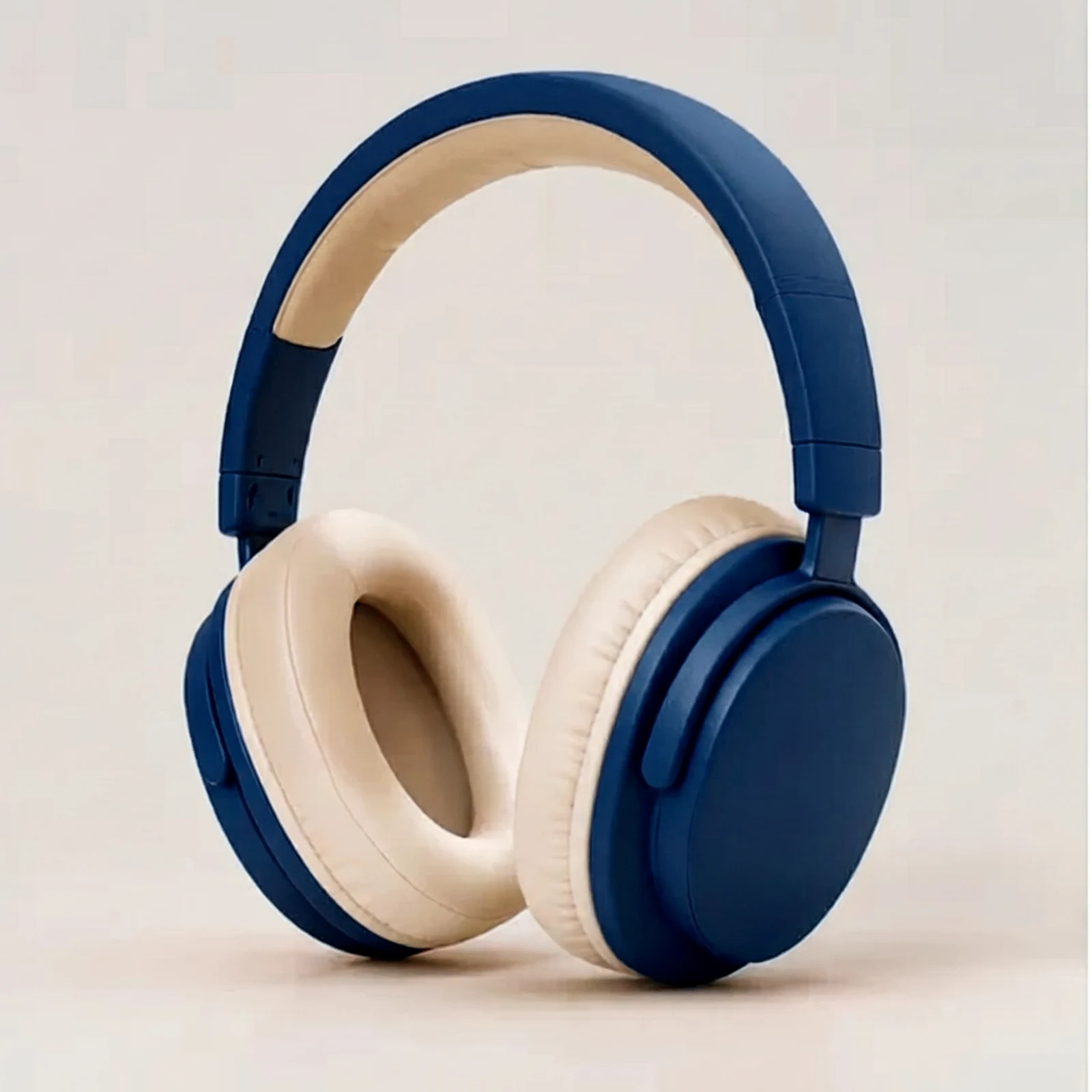
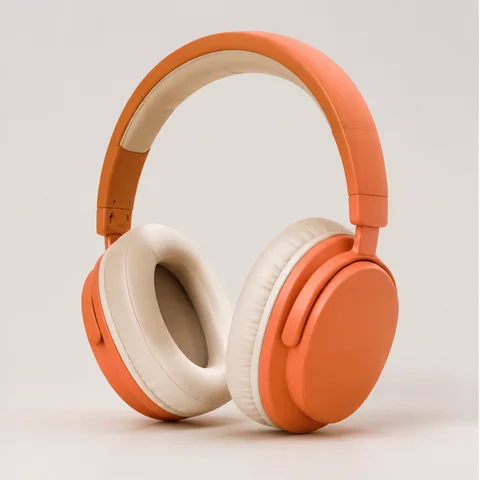
MiniMax H3 圖片編輯:橙色耳機改為海軍藍並保留奶油色耳墊。MiniMax H3 圖片編輯:配有奶油色耳墊的橙色耳機原始參考圖。左右拖動,或使用鍵盤方向鍵查看兩張圖片。

生成產品配色版本

把耳機橙色部位改為海軍藍,同時保留淺色耳墊。對照材質、頭梁及耳罩輪廓,檢查改色後的實際效果。

提交參數
2K · 1:1 · PNG
原始生成尺寸
2048 × 2048

提示詞

Edit <Picture 1>. Change only the orange parts of these over-ear headphones to deep navy blue. Keep the cream ear cushions and cream underside of the headband unchanged. Preserve the exact product geometry, material texture, seams, camera angle, shadows and plain studio background. This is a precise product color variation, not a redesigned headphone. No text or logo.

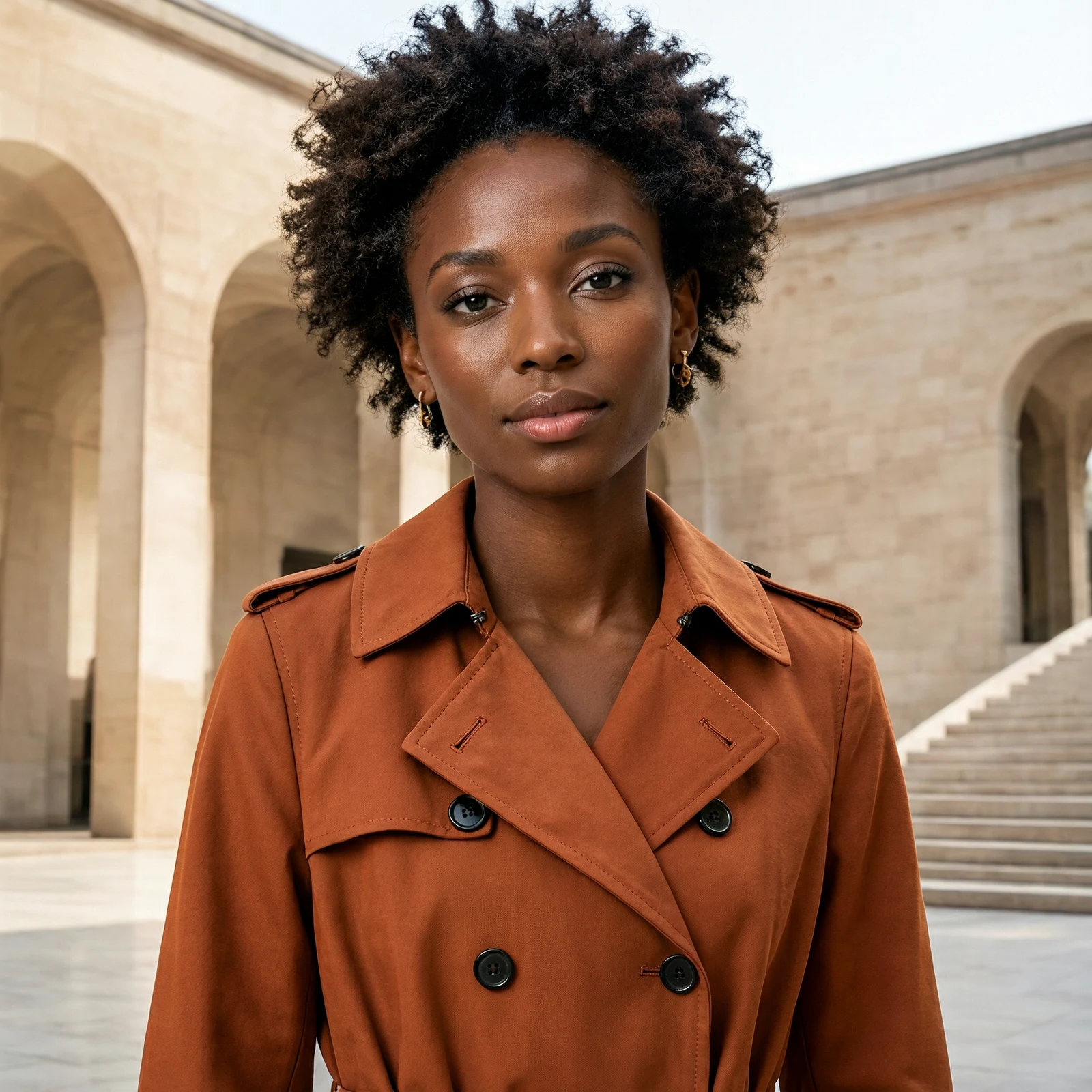
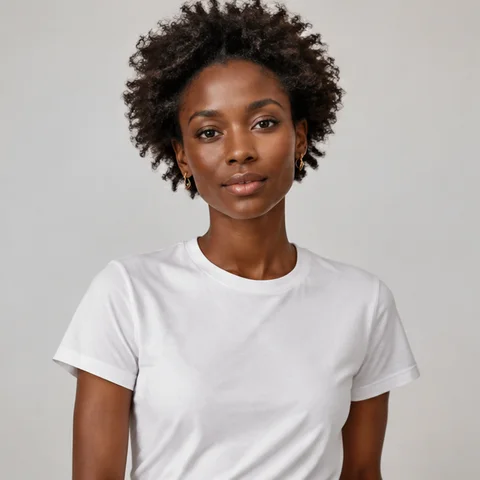
MiniMax H3 圖片編輯:身穿赤陶色風衣的女性位於石質博物館庭院中。MiniMax H3 圖片編輯:短捲髮、白色上衣女性的人物原始參考圖。左右拖動,或使用鍵盤方向鍵查看兩張圖片。
MiniMax H3 圖片編輯:短捲髮女性的人物身份參考圖。
參考圖 1
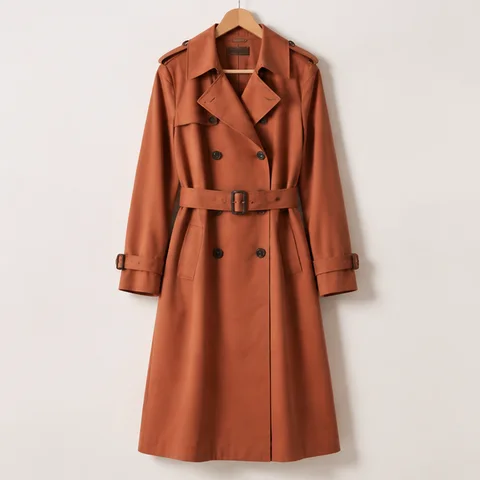
MiniMax H3 圖片編輯:提供服裝樣式的赤陶色風衣參考圖。
參考圖 2
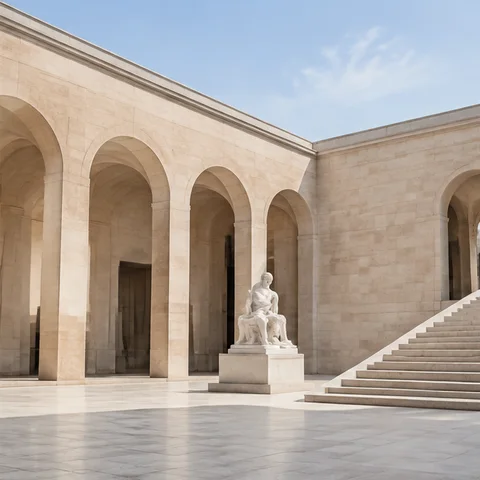
MiniMax H3 圖片編輯:提供環境佈局的淺色石質博物館庭院參考圖。
參考圖 3

合成人物、服裝與場景

三張參考圖分別提供人物、赤陶色風衣和博物館庭院,生成一張完整肖像。下方保留全部三張原始輸入,便於對照。

提交參數
2K · 1:1 · PNG
原始生成尺寸
2048 × 2048

提示詞

Create a photorealistic editorial portrait using all three references. Use the adult woman in <Picture 1> as the identity reference, preserving her face, short natural curls and skin tone. Dress her in the terracotta tailored trench coat from <Picture 2>. Place her in the pale stone museum courtyard in <Picture 3>. Keep a waist-up crop, a calm expression and realistic soft daylight consistent with the courtyard. Preserve the coat color and lapels. No text, logos or extra people.

MiniMax H3 圖片編輯工作流與參考圖技巧

保留人臉和文字的圖片編輯提示詞

明確可修改的對象與必須保留的特徵。用“只把背景換成米白色牆面”代替“變好看”,然後列出身份、裁切、顏色和文字等約束。精確文字加引號並說明位置,生成後放大核對。保留項是指令目標,並不是像素鎖定功能。

提示詞指南

多參考圖編輯:明確每張圖片的用途

先列出各圖用途,並明確背景是要直接複用還是僅參考氛圍。最終拍攝角度只描述一次,移除互相矛盾的要求。當前 1K、2K、4K 基礎消耗爲 5、7、15 積分,每張參考圖另加 1 積分,單張參考圖的 2K 編輯消耗 8 積分。

MiniMax H3 網上圖片編輯與 ComfyUI 工作流

本頁無需 ComfyUI、下載模型權重、本地 GPU 或 Image VAE 配置。想運行本地工作流可查看 Comfy 的原生節點和合作節點說明,本地採樣器、步數等參數不等於本站參數,也不能靠寫進提示詞來改變本站設定。

MiniMax H3 Image on Comfy

常見問題

MiniMax H3 圖片編輯器 FAQ

MiniMax H3 圖片編輯免費嗎?

編輯需要帳戶和積分。註冊贈送取決於當前設定,不承諾無限免費。提交前會顯示消耗,積分包見價格頁。

能保留同一張臉嗎?

可以提供清晰參考並要求保留身份、面部、表情和年齡,但結果仍可能偏移。請仔細覈對,必要時縮小修改範圍。

支援幾張參考圖和多大輸出?

編輯支援 1–16 張參考圖、1K/2K/4K、PNG/JPG,以及自動和十種指定比例。實際尺寸取決於比例和返回結果。

H3 編輯與 image-01 一樣嗎?

不同。本站使用 Kie 的 minimax-h3/image-edit 標識,不將編輯任務發送給 image-01。不同服務的限制請以實際端點和控件爲準。

能做精確蒙版編輯嗎?

本表單提供參考圖和文字指令,沒有畫筆蒙版或像素保真保證。精確選區與未修改像素要求,請用專門工具處理。